Alta Notes
Finish the note.
Get back to care.
Turn the chairside conversation into a structured clinical note. Start with the details of the visit, review the draft, and finish in the format your providers prefer.
“Appointment ends, I generate the note, then I leave right at the end of the day. The best.”
Start with the visit
The context belongs
beside the note.
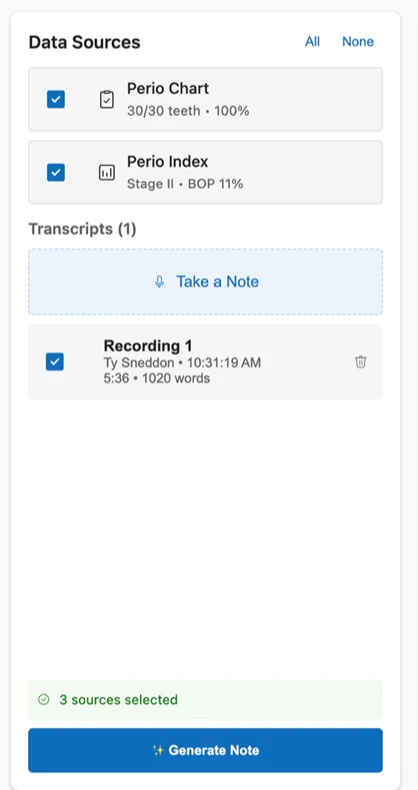
The recording and selected clinical sources stay together in the workspace. With Alta Voice Perio, the chart and Perio Index can also contribute to the note.
The conversation
Capture the details discussed during the appointment.
The clinical findings
Include the selected perio chart and Perio Index when you use the products together.
Your review
Inspect the result, make your edits, and keep control of the final documentation.
Your templates
The detail you need.
The format you want.
Your providers shouldn’t have to rearrange every note to make it feel familiar. Work with the Alta Voice team to tailor the headings, order, and level of detail.
Bring your format.
We’ll help make it yours.
Share a sample with patient information removed. Review how the clinical details appear in your preferred structure, then refine the format with the Alta Voice team.
From visit to documentation
Speak. Review.
Make it complete.
- 01
Capture the visit.
Record the conversation and choose the sources for the note.
- 02
Generate and review.
Check the output, edit the details, and make sure the note reflects the care provided.
- 03
Copy the finished note.
Move the reviewed text into your practice software.
Made for your practice
Keep the software
you already know.
Generate and review your clinical note, then copy it into your practice software. Bring your preferred note format and workflow to the demo.
See it with your practice software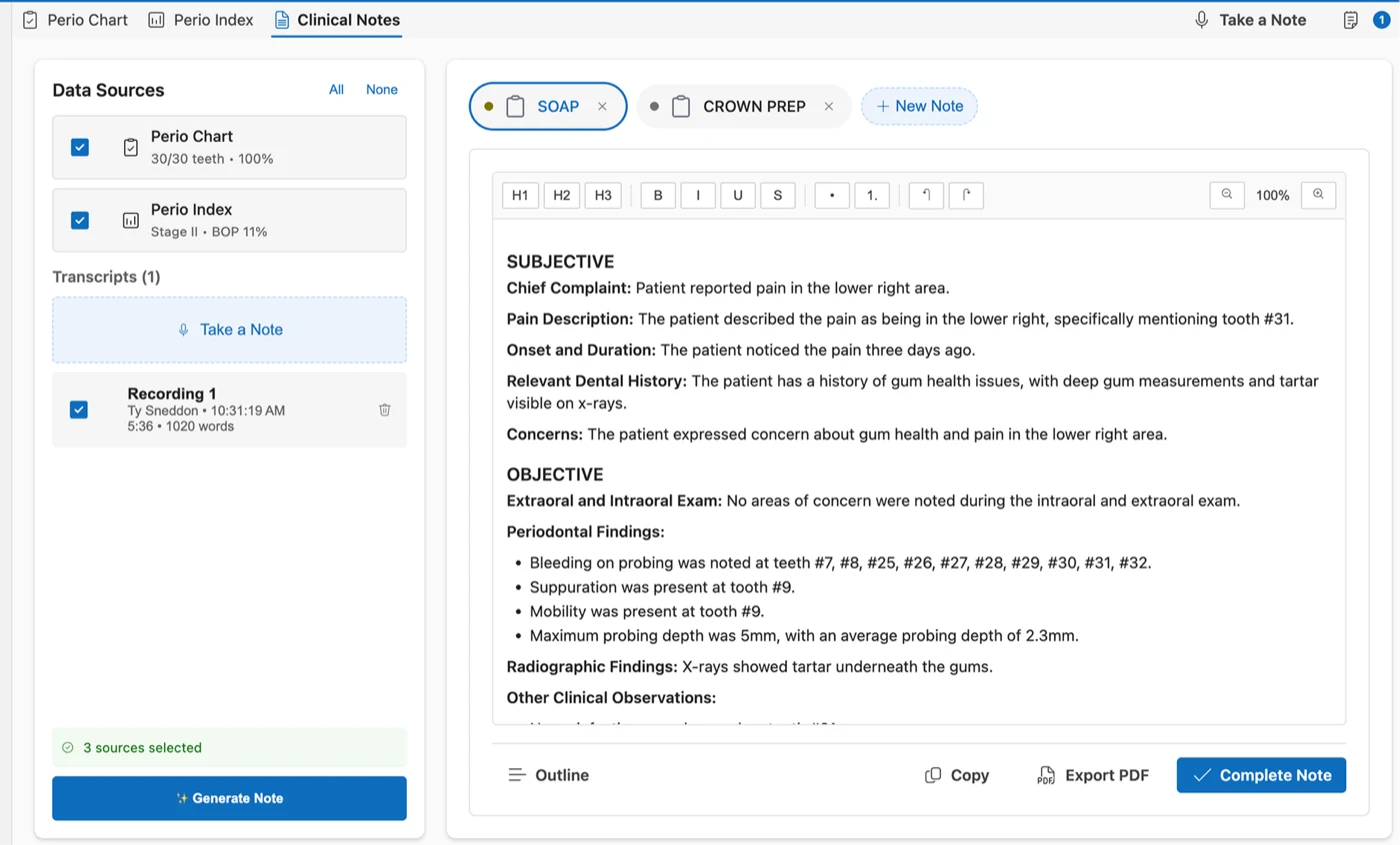
In their words
More room for patient care.
“…my clinical notes are a breeze. I get to actually focus on my patients, I always get lunch, and I go home on time.”
“We use Alta! It's great, solved issues of our past AI charting system. Also game changer for clinical notes for everyone! Customizable notes are essential!”
A few practical questions
Before you
meet Alta Notes.
Can each provider use a preferred note format?
Alta Notes supports customized templates. Bring an example with patient information removed so the Alta Voice team can explain setup and refinement.
Does the note go straight into our practice software?
The demonstrated Notes workflow is generate, review, edit, and copy into your practice software. We’ll walk through the actual steps in your demo.
Can we combine Notes and Perio?
Yes. In the combined workflow, the perio chart and Perio Index can be selected alongside the recording as sources for the note.
What should we look for in the demo?
Inspect the note’s structure, clinical detail, and the edits required. Ask to see the full workflow through transfer, using a format your team recognizes.
See Alta Notes for your practice
Bring a note format.
See what’s possible.
Explore the sources, templates, review tools, and final handoff with the Alta Voice team.
Book a demo Ask a question first ↗